 Equipe ECODE10.COM

How a VPN works?
Why you should care?
The best VPNs enhance your online privacy with user-friendly and affordable software, sometimes even free. By concealing your IP address, you can access streaming content from anywhere in the world or virtually attend a sports event not available in your region.
While VPNs are widely accessible, there’s a peculiar lack of information about their actual functionality. You might be aware that a VPN masks your device with a proxy server, making it appear as if you’re in a different location, and perhaps even that encryption is involved. However, delving deeper into the details can lead you to a labyrinth of misinformation.
That’s unfortunate, as the inner workings of a VPN aren’t overly complex to comprehend. While constructing one may require a computer science degree, with some effort, you can gain a thorough understanding of its functions on your computer. This knowledge empowers you to select the appropriate VPN and maximize its benefits once you’ve acquired it.
What is a VPN?
To ensure no one is left behind, let’s begin with the basics. A VPN (virtual private network) is a secure method of accessing a network, whether it’s a private network (like your office) or the entire internet. Initially, organizations established VPNs to enable remote workers to securely access files. While this remains a primary use case, the past 15 years have witnessed a significant shift in the market, with VPNs increasingly being marketed to individuals. Prominent VPN providers like Proton VPN and ExpressVPN have experienced substantial growth in user base.
Broadly, a VPN comprises two components: the server, which forwards requests to your designated destination, and the client, a software application that facilitates interaction with the server. While a more comprehensive explanation is available here, I’ll provide the essential information in the sections below.
Before that, I’d like to mention that there are various types of VPNs, including remote-access VPNs and site-to-site VPNs that are commonly used in workplaces. However, for this article, I’ll primarily focus on commercial VPN services that are sold to individuals for general security purposes. Unlike specific networks, these VPNs are designed to handle all of a user’s internet traffic to any destination.
What are the consequences of using a VPN?
First, you connect to a server using the client, either the fastest one available or a specific location you require. Once connected, every internet request you send passes through the VPN server. This encrypted communication between your device and the web prevents any traceback to you.
The VPN server decrypts your requests and forwards them to the destination. The destination then communicates with the VPN server, which relays the information back to you — after re-encrypting it to ensure that no one can trace your online activities.
Since the VPN handles all your online activities on your behalf, it acts as your online “mask.” Your internet service provider (ISP) and third parties can observe your online behavior, but — as long as you’re not logged in or identifying yourself — no one knows that it’s you who’s doing it. It’s similar to having a friend order pizza for you so that the pizzeria doesn’t hear you calling repeatedly this week (not that I have any personal experience with this).
What’s the purpose of using a VPN?
Why add an extra step to the already intricate process of getting online? The two primary reasons are maintaining anonymity and changing your virtual location. I’ve already explained how a VPN ensures anonymity. Besides, it prevents your ISP from selling your browsing history to advertisers and safeguards activists who face government repercussions for their online activities.
Changing your virtual location is part of masking, but it can also be used to experience the internet as it appears in other countries. Streaming services are often restricted to specific regions, and almost all of them modify the available content based on their licenses in each nation. Additionally, you can use a VPN in a country with a nationwide firewall, such as China, to access prohibited information sources.
How does a VPN work? A comprehensive technical explanation.
Most online explanations of VPNs stop after defining them as anonymous intermediaries between you and the internet. However, I’ve written this article to delve deeper into the technical aspects of VPNs. To comprehend their functionality, we must first understand how the internet operates, how VPNs determine the appropriate destination for encrypted data, and the concept of “encryption” itself.
Understanding Internet Data Transmission
When you’re not using a VPN, internet traffic travels directly from your modem to your Internet Service Provider (ISP), and then to your desired destination. The fundamental technologies involved here are Internet Protocol (IP) and Transmission Control Protocol (TCP), commonly referred to as TCP/IP.
You may have heard that every online device has a unique IP address that identifies it to other devices. TCP/IP not only assigns these names but also governs the flow of data between them. Let’s break down the process step by step.
When you click a link or enter a URL into your web browser, your computer sends a request to your modem, requesting the page associated with the URL. The modem forwards this request to your ISP.
Your ISP then contacts a Domain Name Server (DNS), which provides it with the corresponding IP address connected to the URL you requested. It then sends the request to this IP address along the most efficient route, which may involve multiple nodes.
The IP address you’re looking for is connected to a server that holds the content you’re seeking. Upon receiving the request, the server breaks the data into smaller packets, each approximately 1 to 1.5 kilobytes in size.
These packets are then sent on their own fastest routes back to your ISP, modem, and finally your web browser, where they are reassembled to form the complete web page.
You can view the web page, which is likely displayed within a second of your request.
The outgoing requests and incoming packets play a crucial role in understanding the functionality of VPNs. A VPN intervenes during two key steps: when your modem contacts your ISP (step 2) and when your ISP sends the packets back to you (step 5). In the subsequent section, I’ll provide a detailed explanation of what the VPN does during these steps.
How VPN Tunneling Protects Data
VPN tunneling is a technique used by VPNs to protect data during transmission. It involves creating a secure tunnel between your device and the VPN server. Here’s how it works:
-
Encryption: Before sending data, the VPN encrypts it, converting it into a secure format that can only be decrypted by the VPN server.
-
Tunnel Creation: The VPN server establishes a secure tunnel between your device and the VPN server. This tunnel acts as a private channel for data transmission.
-
Data Transmission: The encrypted data is transmitted through the tunnel, ensuring that it remains secure and confidential during transit.
-
Decryption: Once the data reaches the VPN server, it is decrypted and can be accessed by your device.
By using VPN tunneling, you can protect your data from unauthorized access, interception, and tampering during transmission.
You might have heard VPN activities described as “tunneling.” This term refers to a figurative tunnel being created between your device and the VPN. Data enters the tunnel after being encrypted by the VPN client and exits after being decrypted by the VPN server. During this process, encryption ensures that no one can see the actual data, as if it’s traveling through an opaque tunnel.
While the tunnel is a useful metaphor, it’s more accurate to think of VPN encryption as encapsulation. Each packet of data sent via VPN is “wrapped” in a second packet. This second packet not only encrypts the original packet but also contains information necessary for reaching the VPN server. However, none of these outer layers have the complete path — each only knows enough to reach the next relay. This way, the origin point (that’s you) remains hidden.
The same principle applies when the internet returns content to you. Your ISP sends the data to the VPN server because, as far as it knows, that’s where the request originated. The VPN then encrypts each packet and sends them back to you for decryption and reassembly. This additional step causes a slight delay, which is why VPNs can slightly slow down your browsing speed. However, the best VPNs don’t do this significantly (Surfshark is currently the fastest).
In the previous section, we learned that two protocols, IP and TCP (usually combined as TCP/IP), are responsible for enabling online devices to communicate with each other, even if they haven’t connected before. Similarly, a VPN protocol acts as a shared language that allows VPNs to encrypt, transmit, and decrypt information. In the next section, we’ll delve into how VPN protocols work in detail.
How VPN protocols encrypt data
VPN protocols are the technology that underpins VPNs. All other features of a VPN are simply methods of interacting with these protocols. Each protocol is designed to encrypt data packets and encapsulate them in a second layer that includes information on their destination. The primary differences between protocols lie in the structure of this second layer, the types of encryption employed, and the method by which the client establishes its initial secure connection with the server.
It’s quite common for VPNs to advertise protocols with “bank-grade” or “military-grade” encryption. This refers to the 256-bit Advanced Encryption Standard (AES-256), a symmetric encryption algorithm widely used by financial institutions and the US government and military. While AES-256 is indeed one of the most robust encryption methods available, it’s not the sole determinant of a VPN’s security. As a symmetric algorithm, it lacks inherent security on its own because the same keys are used for both encryption and decryption, making them vulnerable to theft.
Consequently, most VPN protocols employ AES-256 (or a similarly strong cipher like ChaCha20) to encrypt the data packets themselves. They then combine this encryption with a comprehensive suite of multiple encryption algorithms. One of the most reliable and popular protocols, OpenVPN, utilizes the asymmetric TLS protocol to establish a secure connection between the client and server. It then transmits packets encrypted with AES-256 across this secure channel, confident that the keys will remain safe.
While explaining this concept could easily extend to the length of a book, the underlying principle is relatively straightforward. In asymmetric encryption, a sender encodes data using a unique key, which is then decoded by a recipient using a corresponding paired key. These keys are provided by a trusted third party. During a TLS handshake, the server and client exchange encrypted data with each other. If both parties can successfully decode the other’s test data, they have established a matched pair of keys, confirming that they are the same client and server that obtained the keys from the trusted authority.
Why not simply employ asymmetric encryption for the data itself, if it offers enhanced security? Primarily, protocols don’t adopt this approach due to its inherent slowness. Asymmetric encryption demands substantial computational resources, resulting in slower connection speeds. Consequently, OpenVPN and other protocols opt for the asymmetric-to-symmetric two-step method.
To summarize, a VPN protocol comprises a complex set of instructions and tools that regulate encryption and routing through VPN servers. Currently in use protocols include OpenVPN, WireGuard, IKEv2, SSTP, and L2TP. Notably, PPTP, one of the oldest protocols, is no longer considered secure. Additionally, VPNs often develop their own proprietary protocols, such as ExpressVPN’s Lightway.
Putting it all together
Having covered all the pertinent information, let’s revisit the step-by-step process from earlier, incorporating a VPN into the mix. Here are the steps, commencing with establishing the VPN connection and concluding with anonymously viewing a website.
You launch your VPN client, select a server location, and establish a connection. The VPN client and server authenticate each other through a TLS handshake.
The client and server exchange the symmetric keys they’ll utilize for encrypting and decrypting packets throughout this session (i.e., until you disconnect). Your VPN client informs you that a secure tunnel has been established.
You open your web browser and input a URL. Your browser sends a request to access the content at that address.
The request is transmitted to your VPN client, which encrypts it and adds an outer layer of information containing instructions directing the request to the VPN server.
The encrypted request reaches the VPN server, which decrypts it and forwards it to your Internet Service Provider (ISP).
As usual, your ISP identifies the IP address associated with the URL you entered and forwards your request accordingly.
The destination server receives the request and sends all the necessary packets of information back to your ISP, which forwards it to the VPN server.
The VPN server encrypts each packet and appends a header directing it to the VPN client.
The client decrypts the packets and forwards them to your web browser.
You view the web page you opened.
Due to the encrypted tunnel, the request reaches the VPN server without any information about its origin. Consequently, the VPN doesn’t actually encrypt your online activities on the websites themselves—for the most part, the HTTPS protocol handles that. Instead, a VPN provides you with a false identity to enter in the register, ensuring that no information can be traced back to your real identity.
How to utilize this information
Now that you understand the technical workings of a VPN, you’re better equipped to select one that suits your needs. You can avoid being misled by marketing hype statements such as:
Military-grade encryption! (The algorithm used is the same as everyone else’s)
“Stay completely anonymous online!” (Plaintext you post on social media isn’t encrypted)
Dodge ISP throttling!” (If your ISP throttles you based on your IP address, this works—but if you’re being slowed down due to your real-time activity, your identity doesn’t matter)
A VPN is just one crucial component of a comprehensive cybersecurity strategy. While concealing your IP address, ensure that you also use strong passwords, promptly download updates, and remain vigilant against social engineering tactics.
Related articles

The cost of a free prize, scam
Imagine receiving an unexpected email from a w...
Lock your screen, why?
Your computer screen
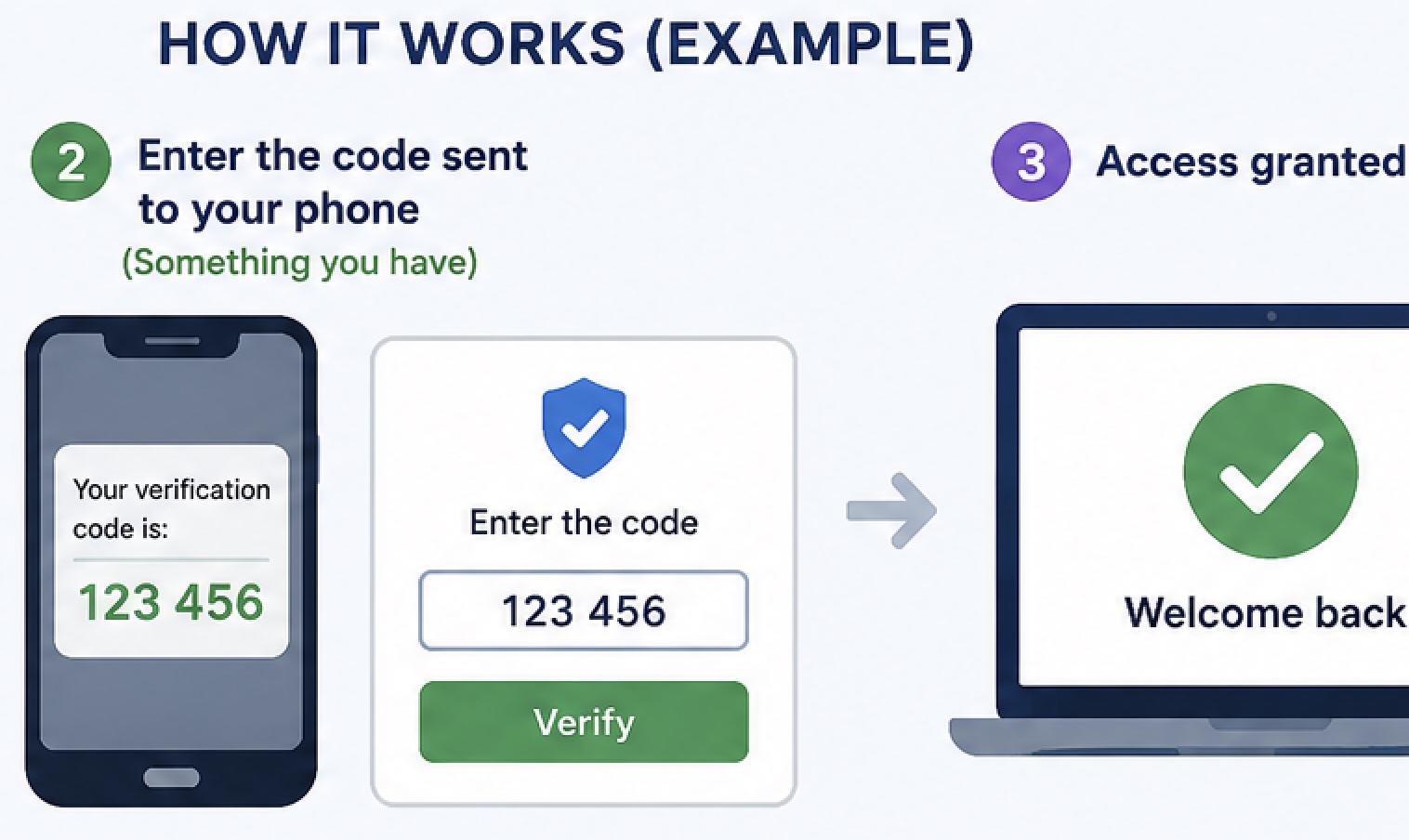
What is multi-factor authentication?
Multi-factor authentication (often called MFA)...

Your Reward Points Are Expiring
Recent warnings from the Federal Trade Commission

The scam offer
You receive a text message claiming that you can..

The most commonly used passwords in 2025 and 2026
The most commonly used (and easily hacked) pass...

Can you please tell me where I can check the security headers of my website? Also, why is it crucial to have an A+ rating
Checking your website’s security headers is pretty

Generate TOTP authentication and validate
To generate a QR code for a Time-Based One-Time

AI-Powered Hacking: Automated Exploits
What is it? How to protect myself

What exactly is a content security policy, and how can I incorporate it into my website
Try to understand and follow