Mauricio Junior

Font and Color configuration => become symbol ?
To make multi-character operators like =>
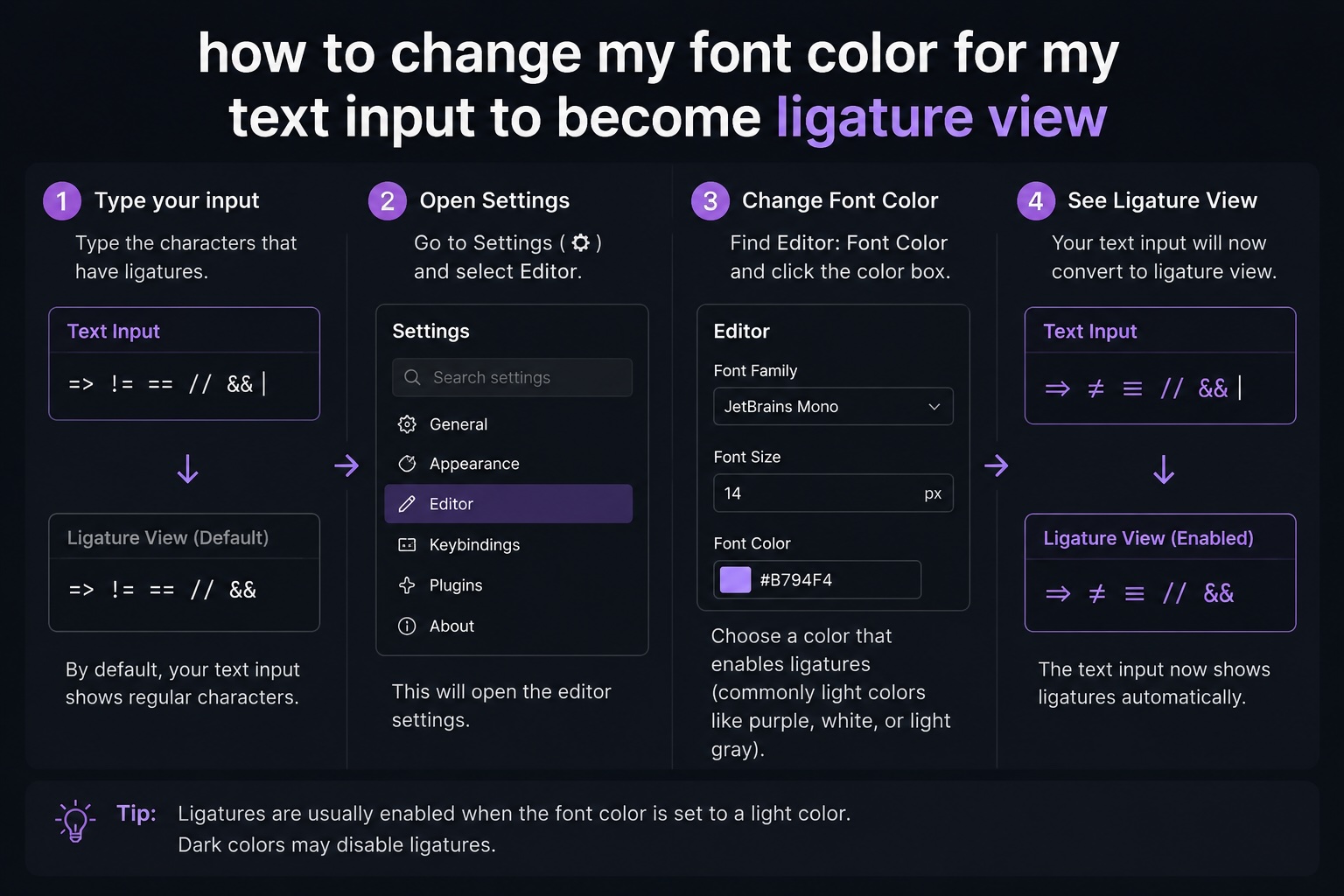
To make multi-character operators like => (the C# lambda operator) appear as a single symbol in your code editor, you need to enable Font Ligatures.
1. Choose a Compatible Font
...Subscribe ecode10.com
Receive our latest updates about programming languages, software, database, books, ebooks, classes, jobs and more.
You can cancel anytime.
Log In
Subscribe now
Related articles

How to read a JSON file using C# sharp?
Today I will show you step by step

Benchmark for ENUM using CSharp
What is better and faster to do?

How to use and test the scripts and stylesheet with asp-fallback-test?
Check here many examples

Cryptography using Argon2 with C#(sharp)
Methods to create a crypt data

Como detectar se a senha é segura usando .NET?
Veja o passo a passo em vídeo no Youtube

Avoid hackers and crackers from submitting data to your system by creating your captcha
Step by step here with me

How to get data from AppSettings.json?
In practice, many ways to do it.

Retornando dados de três tabelas diferentes com EntityFramework e LINQ
Na prática com C# da Microsoft